How the Tone & Fit Color Analysis App Works, Step by Step
This page is about one app: what Tone & Fit does with your selfie, how the AI reads it, what you get back, and how to install it. If you are still deciding between apps, that comparison lives in our best color analysis apps review; this guide assumes you want to know what this one actually does.
Color analysis used to mean one thing: booking a professional, sitting under calibrated lights, and being draped in fabric swatches until your season emerged. That service still exists and still works, usually at a few hundred dollars a session. Apps exist because most people want most of that answer at roughly none of that price.
This guide covers what a color analysis app has to get right, the four kinds of apps on the market, what fair pricing looks like, and where your selfie goes after you upload it. Full disclosure: I build one of the apps discussed below, Tone & Fit. So I will keep the criteria objective, describe competitors fairly, and be upfront about what my own app does not do.
What's in this guide
How color analysis apps actually work
Strip away the branding and every color analysis app, quiz or AI, is trying to answer the same three questions about your coloring:
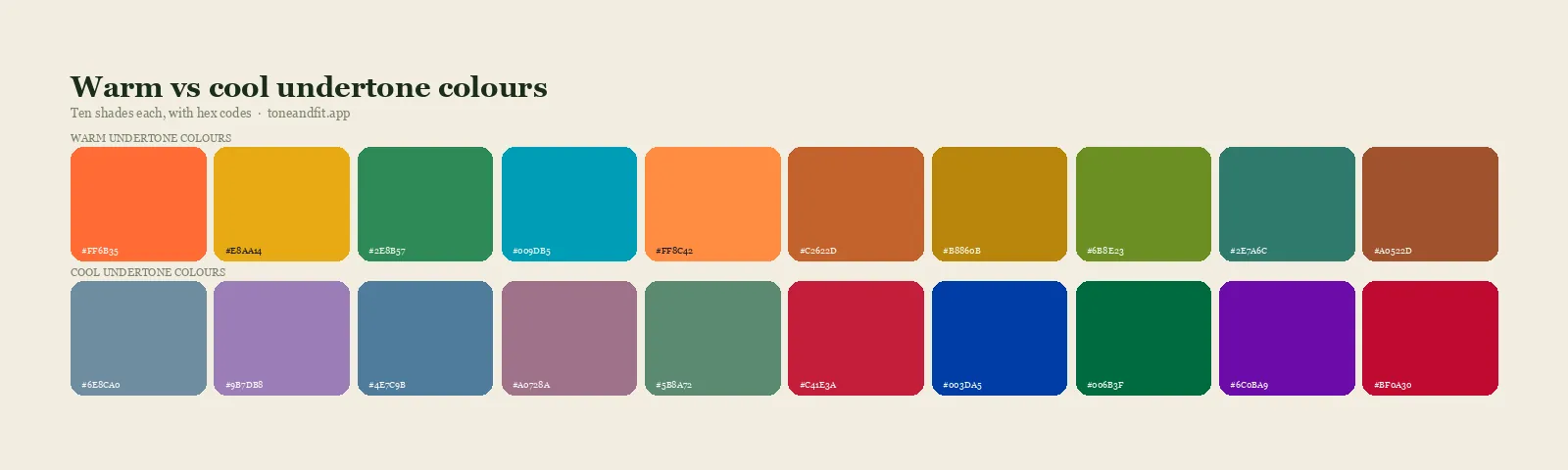
- Undertone: is the tone beneath your skin's surface warm, cool, or neutral?
- Value: is your overall coloring light or deep?
- Chroma: does your face come alive next to muted, softened color or next to clear, bright color?
Those three measurements place you in a color season, and the season generates everything else: best colors, worst colors, metals, makeup depth. Get the three measurements right and the rest is a lookup table. Get them wrong and the most beautiful palette in the world is simply wrong for your face.
The step-by-step version of that pipeline, from selfie to season, is laid out in how AI color analysis works.
12 seasons or 4?
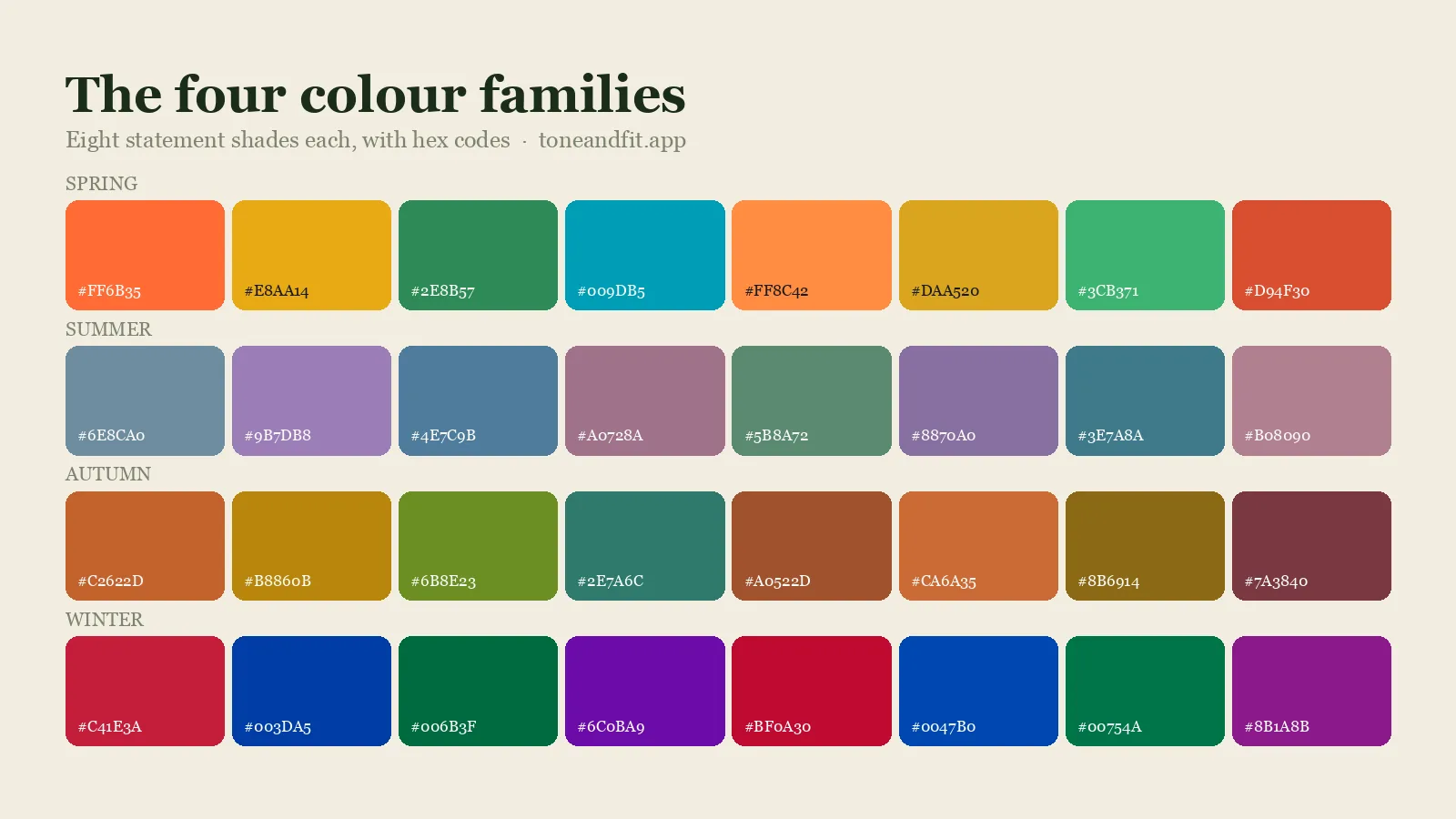
The original four-season model (Spring, Summer, Autumn, Winter) dates to the 1980s, and its problem is resolution. It sorts every person on earth into four buckets, so a large share of people land between categories and get palettes that half-work. The modern 12-season system splits each season into finer variants such as Light, True, Soft, and Deep, so a Soft Autumn and a Deep Autumn stop being handed the same rust sweater. A 12 season color analysis app is not automatically accurate, but a 4-season app is automatically imprecise. Treat 12 seasons as the minimum bar.
Quiz or photo?
The second divide is how the app gets its three answers, and there are only two methods. Quiz apps ask you: what color are your veins, how does your skin react to sun, does gold or silver flatter you more. The catch is that these are precisely the judgments you downloaded an app to avoid making. Self-typing is notoriously unreliable; if you could eyeball your own undertone with confidence, you would already own the right sweaters.
Photo apps measure instead. AI reads pixel-level information from a selfie, from your skin, eyes, and hair, and estimates undertone, value, and chroma from what is actually there rather than from what you believe about yourself. Quality still varies with the model and with your lighting, but the approach removes the least reliable instrument in the pipeline: your own guess. For the deeper technical explanation, see our guide to how AI color analysis works, and for how far to trust the result, how accurate AI color analysis really is. Social-media filters are a different thing entirely, as the app versus TikTok filter comparison explains.
Seven things that separate a good app from a bad one
Run this checklist against any app in the category, including mine.
1. It uses the 12-season system
Four seasons is 1980s resolution. If the result screen only says "Autumn," the app rounded you off before it started.
2. It analyzes a photo, not just a questionnaire
A quiz can be a pleasant supplement, but if self-reported answers are the only input, the app is automating a magazine quiz, not analyzing color.
3. It shows its work on all three dimensions
A trustworthy result names your undertone, your value, and your chroma, not just a season label. If an app cannot tell you whether you are muted or bright, it did not measure chroma; it guessed.
4. It gives you an avoid list
Knowing your worst colors changes your shopping faster than knowing your best ones. An app that only flatters is a mood board. An app that says "skip pure black, it flattens you" is doing analysis.
5. It is specific enough to shop from
"Wear warm colors" is not actionable. Named shades, grouped by how you will actually use them, are. Look for a palette you could hold up against a garment in a store.
6. It treats your selfie with respect
The app has to see your face; it does not have to keep it. Look for a plain statement on whether photos are stored or used to train models, and be wary when you cannot find one.
7. Its pricing matches the problem
Your season, once correctly identified, does not change. Recurring billing suits recurring service, such as ongoing outfit planning. For the core answer, you should be able to pay once, or nothing.
The four kinds of color analysis apps, compared
Nearly everything you will find in the App Store falls into one of four buckets.
1. Quiz apps
Free or nearly free, fast, and fun, quiz apps walk you through the classic questions and map your answers to a season. As entertainment they are fine, and the honest ones do not pretend to be more. The ceiling is structural: the result can only be as accurate as your self-assessment, and self-assessment is the weak link this whole field is trying to fix. If two friends answer the questions about you and get two different seasons, you have found that ceiling.
2. Subscription styling apps: Style DNA and Dressika
These are the big names in the category, and both are real products with substantial features. Style DNA runs a selfie-based AI analysis and then builds an ongoing styling service around it: wardrobe tools, outfit suggestions, shopping guidance, with pricing that runs through subscription tiers. Dressika takes a similar wardrobe-assistant approach, with subscription plans at several tiers.
The trade-off is not quality; it is shape. A subscription is a fair price for a service you keep using: daily outfit planning, a cataloged closet, seasonal shopping help. It is a poor price for a fact. Your color season does not change once it is correctly identified, so if the analysis is the main thing you want, a recurring fee means renting an answer you could own. Buy these apps for the ongoing service, or not at all.
3. Virtual try-on apps: ColorMine AI
A third group leads with visualization: digital draping that shows candidate colors on your own photo, the way an analyst holds fabric under your chin. ColorMine AI is a good example of the genre. Seeing a color on yourself is genuinely persuasive, and draping across seasons helps you calibrate your own eye. The limitation: draping without measurement quietly hands the final judgment back to you, and deciding which drape looks best is the exact skill most of us lack. Try-on works best as a layer on top of measurement, not as a substitute for it.
4. One-time purchase apps: Tone & Fit
The fourth model: give the core answer away free, charge once for the full toolkit, and never bill again. This is where my app, Tone & Fit, sits, and I make the fuller case for it below. The honest trade-off is scope. A one-time color app is built around color; it will not inventory your closet or plan a week of outfits the way the subscription services aim to. If you want a styling service, pay for a styling service. If you want your season and palette, you should not have to.
| Approach | How it types you | Typical cost | Best if you want |
|---|---|---|---|
| Quiz apps | Your self-reported answers | Free to a few dollars | A fun starting point |
| Style DNA, Dressika | AI selfie analysis plus wardrobe tools | Subscription tiers (see App Store) | An ongoing styling service |
| ColorMine AI, try-on apps | Virtual draping previews | Varies | To see colors on yourself |
| Tone & Fit | AI selfie analysis, 12 seasons | Free scan; optional paid upgrade | A season and palette you own |
Pricing: subscription, one-time, or free
It helps to do the arithmetic once. A monthly subscription, kept for two years, costs many multiples of a one-time purchase, and the question it is answering, "what season am I," has a permanent answer. You will have paid for the same fact many times over. Current prices for every app on this page are on their App Store listings, and they change often enough that we do not print them here.
That is not an argument that subscriptions are a scam. It is an argument about fit. Wardrobe cataloging, outfit-of-the-day suggestions, and shopping feeds are genuinely ongoing services, and charging monthly for them is honest. The pattern to watch for is an app that locks the one-time answer, your season and palette, behind the recurring fee. That is a fact priced like a service.
Free deserves one skeptical question too: what funds it? Sometimes the answer is benign, a free tier marketing a paid tier. That is the model I chose for Tone & Fit: the scan and your season are free, and an optional paid upgrade opens the full toolkit, with the current price shown in the app and on the App Store. Sometimes the answer is ads, data, or an endless upsell corridor. If you are searching for a free color analysis app for iPhone, "free scan plus an optional upgrade you can see the price of before you tap" is the cleanest version of free on the market right now.
Apple bills in your own currency with VAT or GST already included, and if you are reading from Britain or Australia the colour analysis app guide written for UK and Australian readers covers the pricing, privacy and daylight questions that differ where you are.
Get your season free, in about 30 seconds.
One selfie. No quiz, no account, no subscription. Tone & Fit reads your undertone, value, and chroma, then names your season.
Try the Free Scan ↗Privacy: what happens to your selfie
A color analysis app has to look at your face, which makes privacy a core feature of the category, not a legal footnote. Before you upload a selfie to any app, you deserve plain answers to three questions:
- Is the photo stored after the analysis finishes?
- Is it used to train the company's models?
- Does the app require an account that ties your face to your identity?
The App Store privacy label is the fastest place to check, and vague language there is itself an answer. For the record, Tone & Fit's answers are: the photo is analyzed and then discarded, it is never stored and never used for training, and there is no account system at all, so there is nothing for a photo to be attached to. I mention this less as a sales point than as a bar to hold every app to. A picture of your face is not a small thing to hand over.
Where Tone & Fit fits, honestly
Here is the fair version of the pitch, limits included.
Tone & Fit is a 12-season color analysis app with no subscription. You take one selfie, the AI measures your undertone, your value (light versus deep), and your chroma (muted versus bright), and about 30 seconds later you have your season from the professional 12-season system, with its Light, True, Soft, and Deep variants. That scan is free, with no account and no quiz in the way.
The optional paid upgrade, priced in the app and on the App Store, opens the full kit:
- A palette of up to 20 curated colors, expanded into 40+ named shades grouped as Signature, Everyday, Accent, and Neutrals
- Power shades on one side, an equally specific avoid list on the other
- A hair color analyzer and a makeup guide matched to your season
- Jewelry metal match: gold, silver, or rose gold
- Outfit formulas for putting the palette to work
- An AI Style Assistant chat for follow-up questions
- "Preview Colors On You": color draping across all 12 seasons, so you can see the runner-up palettes on your own face before trusting the winner
Now the limits. It is iOS only: iPhone with iOS 15.1 or later, plus iPad, Apple silicon Macs, and Apple Vision, in a 91.5 MB download. Android users need a different tool. It does not catalog your wardrobe or plan your week the way Style DNA and Dressika aim to; it is a color tool, deliberately.That is a perfect score and a tiny sample, and you deserve both halves of that sentence.
If you want to see the whole field weighed side by side, we keep a full roundup of the best color analysis apps of 2026 with notes on each one.
The five-minute test for any app
Whichever way you lean, run this quick protocol before trusting a result, mine included:
- Check the price model first. Know whether you are looking at free, one-time, or subscription before you get invested. The App Store listing states it.
- Read the privacy label. Thirty seconds, and you will know how your selfie is handled.
- Scan in honest conditions. Indirect daylight, no makeup, no filters, plain background. Bad input degrades even a good model.
- Demand all three dimensions. If the result names a season but cannot tell you your undertone, value, and chroma, it labeled you without measuring you.
- Run it twice. Same face in the same light should mean the same season. A result that flips between runs has just told you its confidence level.
And calibrate expectations honestly. A good photo-based app should land you in your season or a close neighbor and hand you a palette that visibly works; if you want the certainty of a human expert with calibrated drapes, that option still exists, and we compare the two in app versus consultant. Still deciding whether the whole field is real? Start with our honest look at whether color analysis is a scam, then come back.
Ready to meet your palette?
Free scan, about 30 seconds, photo discarded after analysis. The optional upgrade is priced in the app and on the App Store.
Get Tone & Fit on the App Store ↗Frequently Asked Questions
Is Tone & Fit really free?
The scan is free: one selfie gets you your color season with no account, no quiz, and no subscription. An optional paid upgrade, priced in the app and on the App Store, adds your full palette with named shades, hair and makeup guidance, outfit formulas, and the AI Style Assistant. There is no recurring charge of any kind.
Do color analysis apps work?
The good ones do, within honest limits. An app that measures undertone, value, and chroma from a photo can place most people in the right season or a close neighbor, which is enough to shop and dress noticeably better. Quiz-only apps are less reliable because they depend on self-judgments most people cannot make accurately. For absolute certainty, in-person draping with a trained analyst remains the benchmark.
What is the most accurate color analysis method?
In-person draping with a trained analyst under controlled lighting is the most accurate method, and it typically costs a few hundred dollars per session. Photo-based AI analysis is the strongest at-home alternative because it measures your actual coloring instead of asking you to describe it. Quizzes are the least accurate because they inherit every error in your self-assessment.
Do I need to make an account?
Not with Tone & Fit. You download the app, take or pick one selfie, and see your result in about 30 seconds, no sign-up, no email, no login. Some analysis apps do require an account before they show results, so it is worth checking the listing before you invest the time.
Which color analysis app works without a quiz?
Photo-first apps skip the quiz entirely. Tone & Fit reads undertone, value, and chroma straight from one selfie, so there are no questions to answer at all. Style DNA also leads with a selfie-based analysis. As a rule of thumb, if an app opens by asking what color your veins are, you are doing the analysis and the app is taking notes.