Color Analysis App vs TikTok Filter
A TikTok color analysis filter recolors your face with a preset swatch and asks you to pick a favorite, while a color analysis app measures the undertone, depth and contrast already sitting in a still photo and calculates your season from those numbers. One is a reaction test. The other is a measurement, which is why the two can hand the same person two different seasons in the same afternoon.
You have run the filter three times this week and landed on a True Winter, a Soft Autumn, and once, memorably, a Bright Spring. An app you tried gave you the same answer both times. That is not a coincidence, and it has nothing to do with which one you feel like trusting. It comes down to what each tool is actually doing to your face before it tells you anything.
What's in this guide
- What a TikTok color analysis filter actually does
- How a color analysis app works differently
- Why the same filter gives you three different seasons
- App vs filter: a side by side comparison
- Can a filter ever get your season right?
- Which one should you trust before you shop?
- How to check this on yourself
- FAQ
What a TikTok color analysis filter actually does
A TikTok color analysis filter is an augmented reality effect that blends a preset color across your live camera feed, the same underlying technology as a filter that adds sunglasses or dog ears, not a measurement tool built for skin. It cycles through a handful of swatches, holds each one for a second or two while the caption names a season, and waits for you to screenshot the frame where you think you look best.
Nothing about that process reads your actual coloring. The filter does not know your undertone before it starts, and it does not check anything after you pick a favorite. The whole exercise is: here is a colored overlay, tell us which one you like, we will call that your season. It is closer to a personality quiz than a diagnostic tool, dressed up in the language of professional color analysis because draping, the practice of holding real fabric near your face, is a real and much older technique. The filter borrows the vocabulary without doing the underlying work.
How a color analysis app works differently
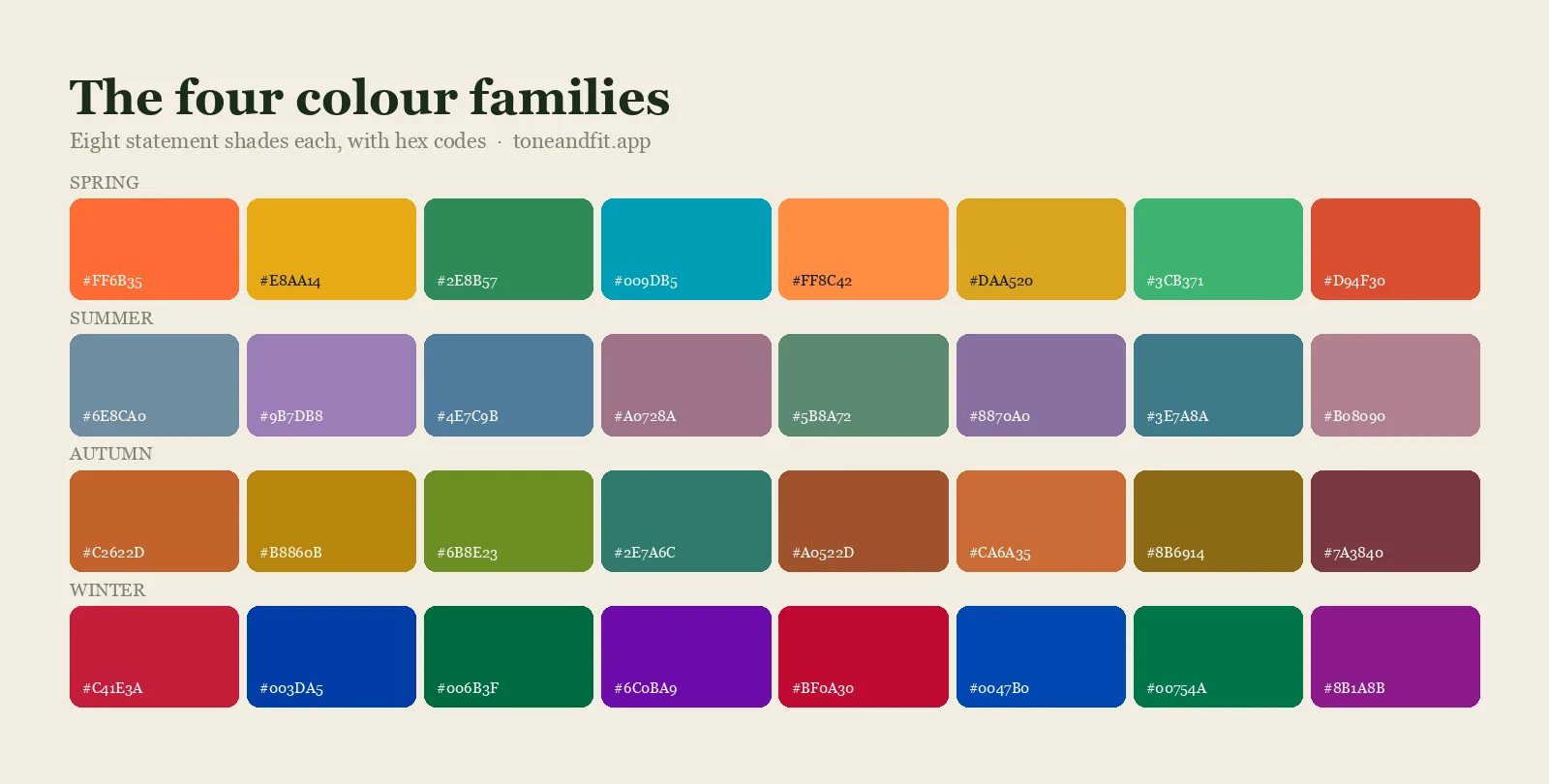
A color analysis app never paints anything onto your face. It takes one still photo, corrects for the light in the room, then measures the actual pixel values of your skin, hair and eyes and matches that specific combination to one of the 12 color seasons. There is no swatch for you to react to and no favorite for you to pick. The output is a calculation, not a preference.
The practical difference shows up the moment you retake the photo. Feed a good color analysis app the same well-lit selfie twice and it returns the same season twice, because the input pixels have not changed. Run a drape filter twice on a slightly different angle or a slightly different room and the blended color it lays over your face shifts, which is often enough to nudge the result to a different swatch entirely. If you want the full technical walkthrough of how an AI pipeline gets from a selfie to a season, we cover every step in how AI color analysis works.
Why the same filter gives you three different seasons
The same filter gives you different seasons on different attempts because most drape filters blend their test color across the entire frame, your face included, so every option looks at least a little flattering and the one you pick often says more about that filter's blend strength than about your actual coloring. You are not watching your skin react to a color the way it would under real fabric. You are watching your skin with that color already painted over it.
Beauty processing compounds the problem. Many camera apps apply some automatic skin smoothing, tone evening or warmth adjustment before a filter ever runs, often by default and without a visible toggle. Smoothing erases exactly the fine color variation a real analysis reads, and a warmth slider is a direct thumb on the scale of the one property, undertone, that the whole exercise is supposed to uncover. We go through this mechanism in full, including which trait actually survives the blending, in our piece on how accurate TikTok color analysis filters really are.
App vs filter: a side by side comparison
Laid out next to each other, the two tools are not really competing on the same axis. One is entertainment with a color theory costume on. The other is trying to be a measurement instrument.
| TikTok filter | Color analysis app | |
|---|---|---|
| Input | A live camera feed with color already blended in | One still, unedited photo |
| What it reads | Nothing; it recolors the frame and asks for your opinion | Pixel values of your skin, hair and eyes |
| Handles bad lighting | No, whatever light is in the room stays in the result | Corrects for the light source before measuring anything |
| Consistent on retake | Often changes attempt to attempt | Same photo, same result every time |
| What you get back | A season name and a caption | Season, undertone, and a palette to start shopping from |
| Best used for | A quick laugh with friends | Actually building a wardrobe around your coloring |
Can a filter ever get your season right?
Yes, sometimes, and it is worth knowing exactly when to believe it. Color analysis is built from three traits: undertone, value and chroma, and they are not equally fragile under a color wash. Contrast, the gap between how light or dark your hair reads against your skin, is a relationship within the same frame, so if a filter's overlay brightens or darkens everything, that gap tends to survive roughly intact. A filter that tells you "high contrast" is a reasonable hint.
Undertone is the one that breaks. It is a small shift in the balance of red, yellow and blue in your skin, and any color blend, warmth slider, or smoothing pass moves it by more than the actual signal you are trying to measure. A filter confidently naming your exact season, which depends heavily on undertone, is closer to a coin flip than a reading. That is also why three unrelated filters can agree you look "high contrast" while disagreeing completely on warm versus cool. Both things can be true at once.
Which one should you trust before you shop?
Trust whichever one you could run five times in a row and get the same answer, because a color season is only useful if it is stable enough to actually shop from. A filter result that changes with the angle of your phone is fine as a five-minute diversion. It is a bad foundation for spending real money on a new capsule wardrobe, since a wrong season sends you toward clothes that fight your coloring instead of flattering it. If you want to know what a real app does differently, this step-by-step look at how a color analysis app works walks from selfie to season.
If you have tried more than one app and gotten conflicting seasons the way you did with filters, the fix is the same: check which one is measuring versus guessing. Our breakdown of the best color analysis apps in 2026 tests several side by side on the same faces and the same lighting, which is a useful way to see the gap between a real measurement tool and a filter wearing the same label. And if you are wondering whether any of this is worth taking seriously at all, we answer that directly in is color analysis a scam?
Measure it instead of guessing
Tone & Fit reads your undertone, depth and contrast from one photo and returns your season plus a palette to shop from, no swatches to react to.
Get Tone & Fit Free ↗How to check this on yourself
The fastest way to settle the argument on your own face is to run both on the same day and compare the confidence, not just the label. Screenshot your best TikTok filter result first, before you know anything else, then take one well-lit, makeup-free selfie with no beauty mode. If you are not sure where to start, our color season quiz gives you a quick starting hypothesis based on your features, and our free color analysis tool measures your actual undertone, depth and contrast from that photo and names your season with no filter standing between you and the result.
If the filter and the measurement agree, good, you have two independent signals pointing the same way. If they disagree, believe the measurement. It is reading your face. The filter was reading its own paint job.
Ready to find your season?
One selfie, your 12-season result, and the palette that goes with it. Free, no sign-up.
Find your season free ↗FAQ
Are TikTok color analysis filters completely fake?
Not entirely. Most drape filters are fairly plausible on contrast, the gap between your hair and skin, because that is a relationship within one frame and survives a color blend reasonably well. They are much less reliable on undertone, warm versus cool, which is a small color shift that a filter's own tint can easily overwhelm.
Why did I get a different season from every filter I tried?
Each filter blends its own test color across your whole face at a different strength, and most social apps also apply some automatic skin smoothing or warmth adjustment before the filter ever runs. You are partly seeing your face and partly seeing that filter's editing choices, so three filters can produce three honestly different results from the same person.
Is a color analysis app just a fancier filter?
No. A filter tints a live video frame and asks which tint you like. An app takes one still photo, corrects it for the room's lighting, then measures the actual color values of your skin, hair and eyes and calculates undertone, value and chroma from those numbers. It is not rendering a color choice for you to react to, it is reading the color that is already there.
Do I need an account to check my season with an app?
With Tone & Fit, no. You take a selfie, get your season, undertone and a starter palette, and the photo is never stored. No sign-up is required to see your result.
Should I trust a filter's read on contrast even if not on season?
It is a reasonable starting hint, not a verdict. Contrast being high or low is more filter-resistant than undertone, so if several unrelated filters agree you read as high or low contrast, that part is probably close. Treat the season name attached to it as a guess until you confirm undertone separately.
Can I check my color season from a photo?
Yes. The free Tone & Fit web tool reads your color season from one selfie in about 30 seconds, with no sign-up and no photo stored by us. The Tone & Fit app for iPhone and Android then builds your full palette of 38 named shades.