Virtual Color Analysis: How It Works

Virtual color analysis is any way of finding your color season without sitting in front of a consultant: a quiz you answer about your own features, a photo scanned by AI, or a live video call with a colorist. All three try to measure the same three things, your undertone, your value, and your chroma, and match that combination to one of the 12 seasonal palettes.
Ten years ago, finding your season meant booking a studio appointment. Today it usually means opening an app on the train. Here is what actually happens in each kind of virtual analysis, which one is worth your two minutes, and how to get a result you can trust.
What's in this guide
What virtual color analysis actually is
Virtual color analysis is color season analysis done at a distance, with nobody physically holding fabric under your chin. The word "virtual" describes the delivery, not a different theory. The underlying framework, the idea that everyone's coloring is a mix of undertone, value and chroma that lands them in one of 12 seasons, is the same one professional drapers have used since the 1980s. Our primer on seasonal color analysis covers where that framework came from if it is new to you.
What changed is who can access it. A studio session needs an appointment, a physical location, and a meaningfully larger budget than a phone already sitting in your pocket. Virtual analysis strips all three requirements away, which is the entire reason search interest in the term has grown alongside AI photo tools: people want the same answer without the logistics. That convenience comes with a trade, and understanding the trade starts with knowing that "virtual color analysis" is not one method. It is three, and they are not equally rigorous.
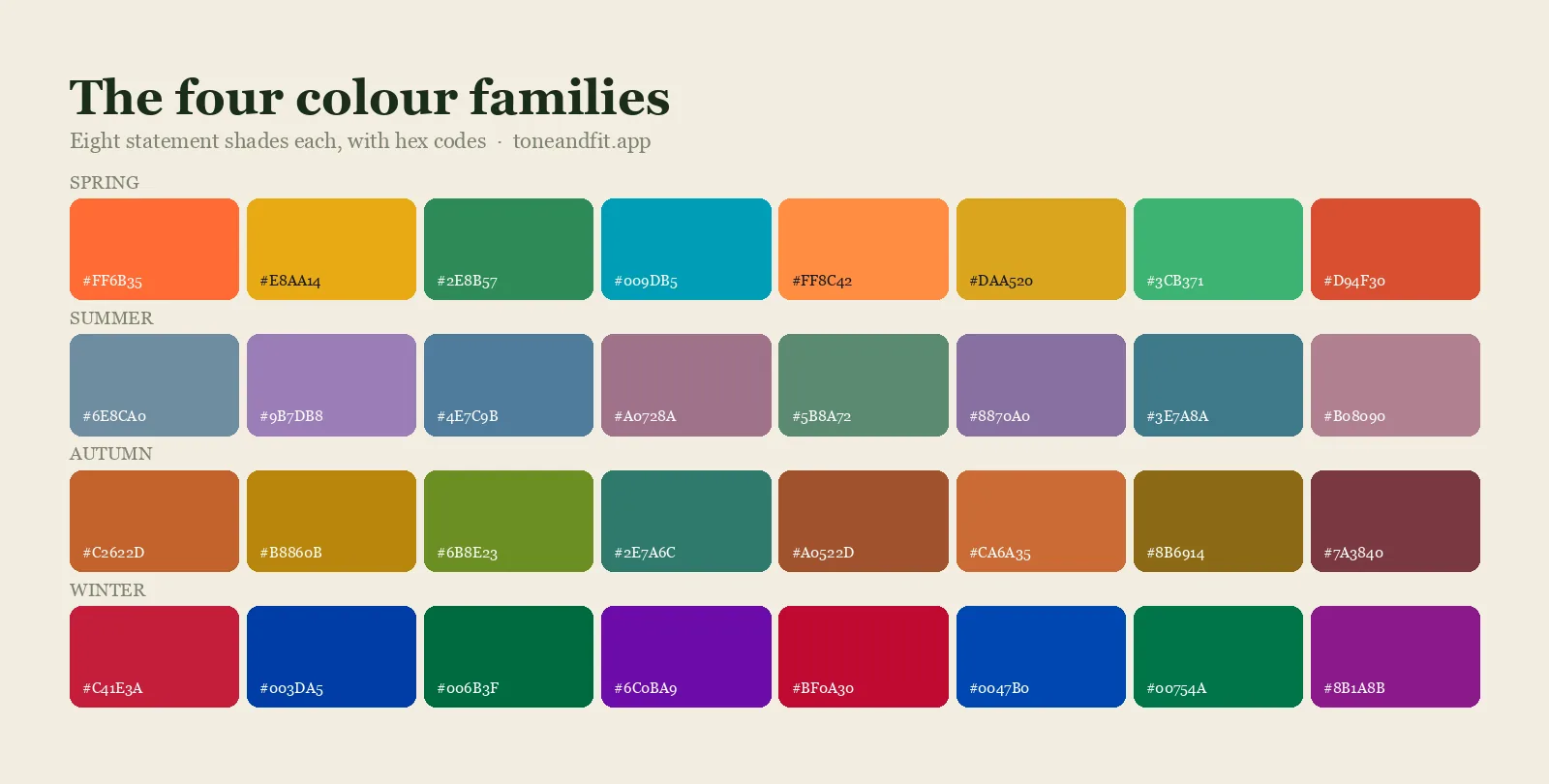
The 3 types of virtual color analysis
Every virtual color analysis method falls into one of three buckets, and the amount of real information each one collects is very different.
1. The self-report quiz
You answer multiple choice questions about your own features: does your skin burn or tan, do your veins look green or blue, does gold or silver jewelry look better against your wrist. No photo required. This is the fastest option and the only one that works with zero images, which is why it is often the first thing someone tries. Its weakness is built into the format: it can only be as accurate as your own self-perception, and undertone in particular is a trait most people misjudge when they try to eyeball it cold. Tone & Fit's own color analysis quiz uses this format as a quick starting point rather than a final answer.
2. The photo based AI tool
You upload or take a selfie, and computer vision measures the actual color values of your skin, hair and eyes from the pixels in the image, then matches that measurement to a season. This is what most people mean today when they search "virtual color analysis," and it is the method behind Tone & Fit's free color analysis tool. It has a real advantage over the quiz: it measures rather than asks, so it is not limited by how well you know your own coloring. It has a real limitation too, covered in detail below: it can only measure the photo you give it.
3. The live video consultation
You get on a video call with a professional colorist, who directs you to hold colored fabric or paper up to your face while they watch through your webcam and make a judgment call in real time. This is the closest virtual option to an in-person session, because a trained human is still doing the evaluating. It is also the slowest and the only one of the three that typically involves paying for a person's time rather than using a free tool.
The rest of this guide focuses mainly on the photo based method, since it is the one growing fastest and the one with the most misunderstood mechanics.
How photo based virtual analysis works
Photo based virtual color analysis runs through four broad steps between your selfie and your result: find your face in the frame, correct for the color cast of the light it was taken in, measure the color values of your skin, hair and eyes, then match that combination against the 12 seasonal profiles. Lighting correction is the step that separates a serious tool from a gimmick, because a warm indoor bulb will push every skin tone toward gold and an overcast window will push it toward blue, and an uncorrected reading is really measuring your lamp, not your face.
We go through every stage of that pipeline in far more depth, including exactly how a model tells warm from cool and light from deep, in our companion piece on how AI color analysis works. The short version that matters here: the "virtual" part only replaces the studio, it does not skip any of the measurement.
How accurate is it?
Virtual color analysis is only as accurate as the input behind it, not the method's reputation. For a photo tool, that means the photo: daylight near a window with a bare face gives the model real pixel data to work with, while a filtered selfie under a warm bulb gives it a distorted picture of you rather than of your actual coloring. For a quiz, that means your own self-awareness: if you have never checked your vein color or held gold and silver against your wrist side by side, your answers are guesses rather than measurements. For a live video call, add a third variable, your webcam's own color rendering, which can shift what the colorist sees on their end.
None of the three methods comes with a meaningful accuracy percentage worth quoting, and that is not a dodge. Professional colorists routinely disagree with each other on genuine border cases, the kind covered in comparisons like Deep Autumn vs Warm Autumn, so no single number could describe agreement that does not exist among trained humans either. What virtual tools can offer instead is consistency: the same well-lit photo run twice through the same model returns the same answer twice, which is more than can be said for two different people eyeballing you in two different rooms. For a longer treatment of what "accurate" should even mean here, see how accurate is AI color analysis.
Virtual vs in person: what you gain and give up
Neither option is simply better. They sit at different points on a speed, cost and depth curve, and the right one depends on how confident you already are.
| Quiz | Photo AI tool | In person draping | |
|---|---|---|---|
| What it measures | Self reported traits | Actual pixel color values | Fabric against skin, judged by eye |
| Needs a photo | No | Yes | No, needs a booking instead |
| Objectivity | Depends on self awareness | Same measurement every time | Trained but still a human judgment call |
| Time | 2 to 3 minutes | About a minute | An hour or more, plus travel |
| Best for | A rough first guess, no camera needed | A fast, measured first read | Confirming a genuine border case |
The pattern we see most often: someone runs a free virtual analysis, lives with the palette for a while, and only books a professional session later if they land on a border case that will not settle on its own. Our broader roundup of color analysis tools compared goes deeper on the quiz versus photo trade-off specifically.
How to get an accurate virtual reading
Whichever method you use, a handful of habits remove most of the ways a virtual reading goes wrong.
- Use daylight, not a bulb. Face a window rather than an overhead light. Warm bulbs push everyone's skin toward gold; overcast daylight is closer to neutral.
- Go bare faced for a photo. Foundation, bronzer, and tinted moisturizer all sit on top of the undertone the tool is trying to read.
- Turn off filters and beauty modes. These do not just smooth skin, they shift its actual color, usually cooler and lighter than reality.
- Answer a quiz from your natural coloring. If your hair is currently dyed or your skin is tanned, answer based on your undyed, untanned baseline, since that is what a real drape would measure.
- Keep the background plain. A brightly colored wall bounces its own light onto your skin and can bias both a photo scan and a human colorist on a video call.
- Run it twice if you are unsure. If a photo tool and a quiz disagree, or you sit near a seasonal border, that disagreement is useful information, not a failure of either method.
Check your own season now
The fastest way to understand virtual color analysis is to run one on yourself in the next two minutes, using whichever level of commitment matches your camera situation.
If you would rather answer questions than take a photo, the seasonal color analysis quiz walks through the self-report method above and narrows you down to one of the 12 seasons in a couple of minutes. If you have a decent selfie or are willing to take one in daylight, the free color analysis tool runs the actual photo based measurement described in this guide and hands back your season, your undertone, and the metals that suit you.
See the photo based method run on your own face
Tone & Fit analyzes your selfie and returns your season, your palette, and outfit colors that prove it, in about 60 seconds.
Get Tone & Fit Free ↗Prefer the fuller version? The Tone & Fit app runs on the same engine as the free web tool, then adds your full palette, lip and blush shades, hair colors, jewelry metals, draping across all 12 seasons on your own photo, and an AI stylist you can ask follow-up questions.
FAQ
What is virtual color analysis?
Virtual color analysis is any way of finding your color season without visiting a consultant in person. It covers three methods: a self-report quiz, a photo scanned by AI, and a live video call with a colorist. All three try to measure the same three things: your undertone, your value, and your chroma.
Is virtual color analysis accurate?
It depends on the method and the input. A photo based tool is only as accurate as the photo: good daylight and a bare face give it real pixel data to measure. A quiz is only as accurate as your own self awareness, since undertone is one of the traits people misjudge most often in a mirror. Neither comes with a meaningful accuracy percentage, because professional colorists themselves disagree on close, borderline cases.
What is the difference between a color analysis quiz and a photo tool?
A quiz asks you to describe your own features, such as whether your veins look green or blue, and infers a season from your answers. A photo tool measures the actual color values in an image of your face. The quiz needs no photo and is faster, but it depends on how well you already know your own coloring. The photo tool needs a decent picture but measures rather than asks.
Does virtual color analysis replace an in-person consultation?
For most people it answers the question well enough to shop with confidence. Where it struggles is the same place self-typing struggles: a genuine border case between two neighboring seasons. In-person draping lets a trained eye react in real time and compare fabrics side by side, which a single photo or quiz cannot do.
Is my photo safe when I use a virtual color analysis tool?
With Tone & Fit, your photo is sent over an encrypted connection to our analysis service for the few seconds it takes to produce a result. It is never stored afterward and is not used for anything besides that one analysis.
How is the free web tool different from the Tone & Fit app?
They run on the same underlying engine, so the season you get from the free web tool is a genuine result, not a teaser. The app adds what a single web page cannot: your full palette, lip and blush shades, hair colors, the metals that suit you, draping across all 12 seasons on your own photo, and an AI stylist you can ask questions.
Can I check my color season from a photo?
Yes. The free Tone & Fit web tool reads your color season from one selfie in about 30 seconds, with no sign-up and no photo stored by us. The Tone & Fit app for iPhone and Android then builds your full palette of 38 named shades.